
Application platform preview
From repository to live, without writing infrastructure.
Zero takes a repository, an image or the Zero Git and delivers the application in production: build, immutable artifact, deployment, address with TLS, scaling, logs, network and audit. You describe the application; the platform decides and runs the rest.
Preview: the CLI, the MCP server and the SDKs ship as files, with SHA-256 — no stable release and no public package index.
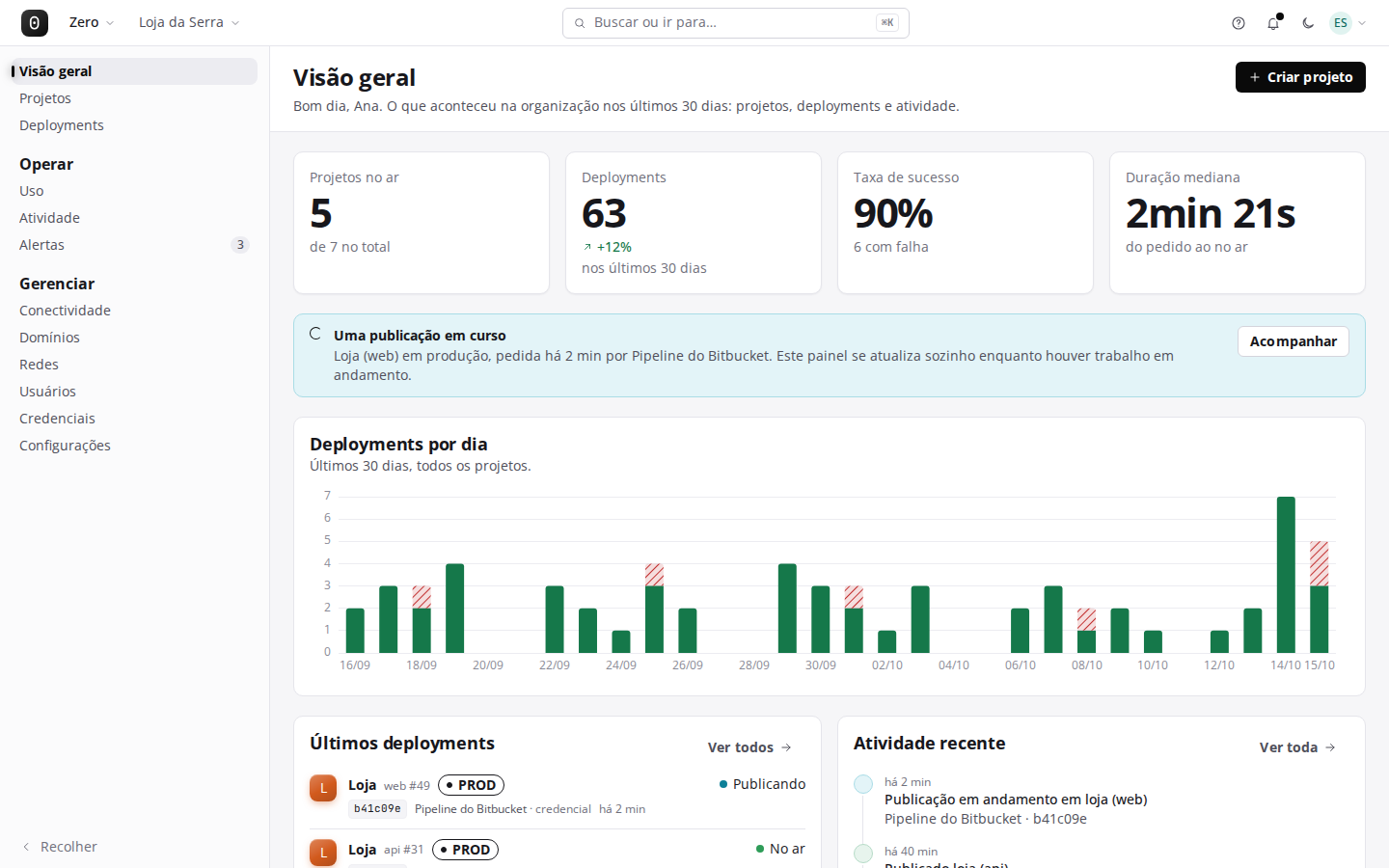
What the platform does
The work between the commit and the live address.
Nine things the platform handles without the application declaring a single infrastructure object.
01
Deploy and roll back
Every deployment is a release over an artifact identified by digest. Rolling back creates a new release pointing at an earlier artifact: the history is never rewritten.
02
Promote without rebuilding
The same artifact moves from one environment to another. Promotion does not compile again, so what was tested is exactly what goes live.
03
Fixed or automatic scaling
One instance, or a range between a minimum and a maximum with a ceiling of 50. The size comes from a catalogue of profiles: loose CPU and memory are refused.
04
Your own domain
Every project starts with a canonical address. The company domain comes in with ownership verification, and delegation is done at the DNS provider.
05
Configuration and secrets
Variables in three scopes — organization, project and environment — with inheritance resolved on the server. A secret is written once and never read back.
06
Observability
Build log, application log, events, runtime and request metrics, and alerts per organization or per project.
07
Scan of the published image
The digest that goes live is scanned, and the findings appear by severity on the service and on the project.
08
Network between projects
Permission granted service by service, with the port declared, an internal name and an internal entry at the environment edge.
09
Organization login and data
The published application can require the organization login and query the data as the person who signed in. The data policy applied is that person's.
The path of a deployment
Four steps, no manifest.
The origin belongs to the project; the reference and the subdirectory come in at deploy time. The platform decides the rest.
- The originGitHub, GitLab, Bitbucket, an image or the Zero Git. The origin belongs to the project, and the token comes in through standard input, never as an argument.
- The buildThe platform builds from the origin and stores the result as an artifact identified by digest. The build is tracked through a stream of events.
- The releaseDeploying points the service at the artifact. The address starts answering, and the build log and the application log become available.
- The promotionThe same digest goes to the other environment without rebuilding. Rolling back means choosing another eligible release.
zero auth login                      # e-mail only; approval opens in the browser
zero orgs list && zero orgs use acme
PROJ=$(zero projects create loja)    # the production environment comes with it
zero source set "$PROJ" --provider bitbucket --repo acme/loja --ref main --token
zero flavors list
SVC=$(zero services create web --env env_… --flavor small --subdir apps/web)
zero deploy "$SVC"                   # 202 and an operation; tracked as a stream
zero status "$PROJ"; zero logs "$SVC" --build; zero releases "$SVC"
Three ways to drive it
Console to see, CLI to repeat, SDK to automate.
All three talk to the same API. What changes is where the decision lives.
Console
The day to day
Projects, services, releases, logs, domains, members and credentials. This is where the first application goes live.
CLI
What repeats
The same path in a script, with a machine contract: JSON output and stable exit codes so your pipeline can decide on its own.
SDK and MCP
What gets automated
An API client generated from the contract in TypeScript and Go. In Python and Java, the SDK is the runtime of the published application — identity and data. Plus an MCP server that exposes the API as tools for an agent.
The first application ships in one session.
Open the console, point it at a repository and watch the address answer. The documentation has the walkthrough and the reference.